
Updated: September 2026
Starting a medical practice takes roughly six to twelve months from decision to first patient — and most of that time is spent waiting on state licensing, payer credentialing, and enrollment, not building the office. The steps below are the ones independent physicians and nurse practitioners actually work through, in the order the dependencies run. Start credentialing and your EHR setup early; they run in parallel with everything else and they set the opening date.
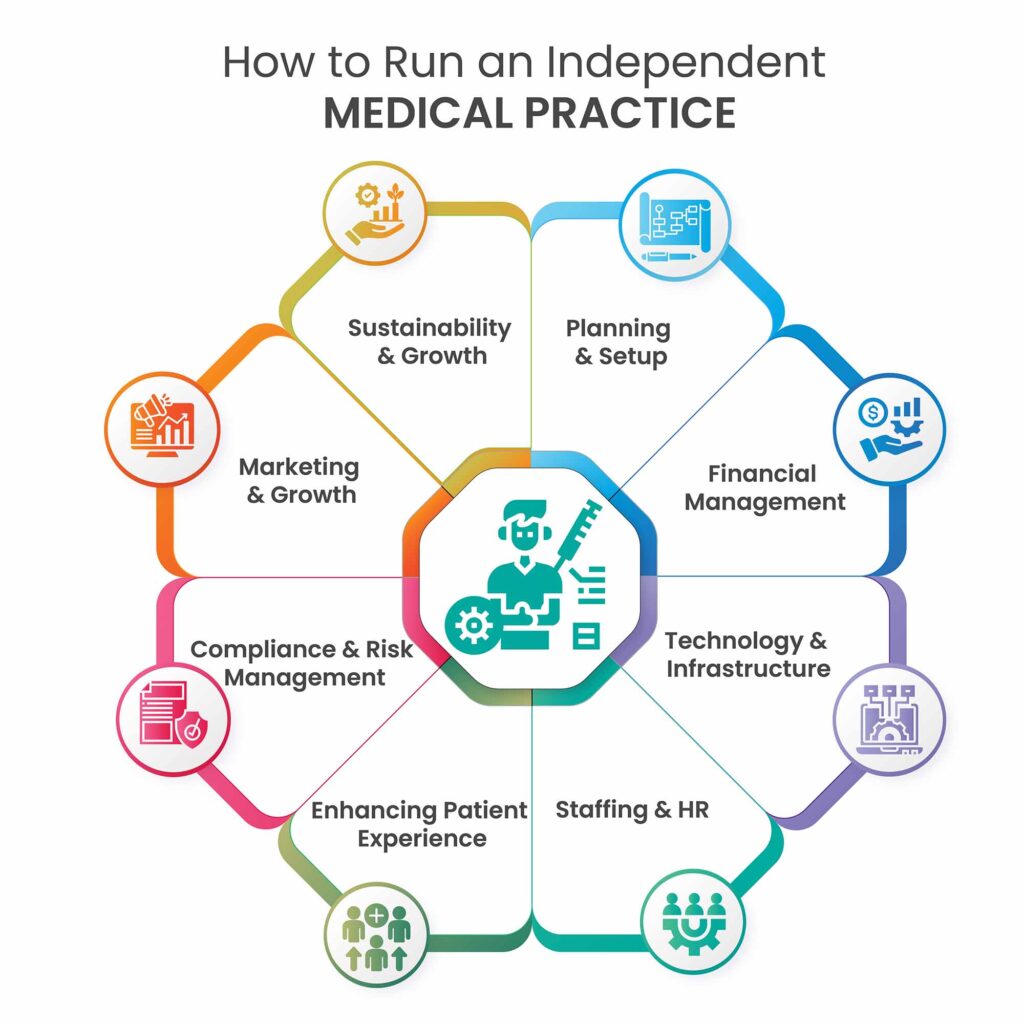
Starting a Medical Practice: The 10-Step Checklist
- Decide the practice model — specialty, insurance-based or cash/DPC, in-person or telehealth-first, solo or group.
- Form the legal entity and get your identifiers — entity, EIN, Type 2 NPI, DEA registration.
- Secure licenses, insurance, and compliance basics.
- Write the business plan and secure funding with at least six months of runway.
- Start payer credentialing — the longest lead time in the whole project.
- Complete payer enrollment for electronic claims, eligibility, and ERA.
- Choose and set up your EHR before you see a single patient.
- Lock in the location, office, or telehealth setup.
- Hire and train staff.
- Market the practice and open.
Step 1: Decide the Practice Model
Everything downstream depends on four decisions. Your specialty determines your templates, equipment, and coding. Insurance-based versus cash-pay or direct primary care determines whether credentialing is on your critical path at all. In-person versus telehealth-first determines your real estate and your state-licensing footprint. Solo versus group determines your entity structure and how many providers you’re credentialing. Write these four down before anything else — they drive every step that follows.
Step 2: Form the Entity and Get Your Identifiers
Most practices form a professional corporation (PC) or professional LLC; many states have corporate-practice-of-medicine rules that dictate which structures a physician-owned practice may use, so confirm with a healthcare attorney in your state. Then collect the identifiers payers and pharmacies will ask for repeatedly: an EIN from the IRS, a Type 2 (organization) NPI for the practice in addition to your individual Type 1 NPI, a DEA registration for each practice location if you’ll prescribe controlled substances, and a CLIA certificate of waiver if you’ll run in-office tests. Open the business bank account as soon as the EIN arrives — payer EFT enrollment later will need it.
Step 3: Licenses, Insurance, and Compliance
Confirm your state medical or NP license is active and, for nurse practitioners in restricted-practice states, that your collaborative or supervising agreement is executed. Line up malpractice coverage (payers will ask for the certificate during credentialing), general liability, and workers’ compensation once you have employees. Put HIPAA in place before your first patient record exists: written policies, staff training, and a Business Associate Agreement with every vendor that touches patient data — including your EHR. A HIPAA-compliant EHR handles the technical safeguards; the policies and BAAs are on you.
Step 4: Business Plan and Funding
Your plan needs a startup budget, a monthly operating budget, and a realistic revenue ramp. The single most common mistake new practices make is under-estimating the gap between opening day and the first insurance payments: claims can’t go out in-network until credentialing is effective, and even clean claims take weeks to pay. Plan for at least six months of operating runway. Funding options include practice-specific loans from banks that specialize in physician lending, SBA loans, and personal capital; lenders will want the business plan, the entity documents, and evidence that credentialing is underway.
Step 5: Get Credentialed With Payers — Start Now
Credentialing is the process by which each insurance payer verifies your training, licensure, and history and contracts you into its network. It is the longest lead time in the entire project — commonly 90 to 180 days per payer, and payers run their processes in parallel, not in sequence. Set up your CAQH ProView profile first, since most commercial payers pull from it. Enroll with Medicare through PECOS and with your state Medicaid program through its portal. Then apply to each commercial payer you want to be in-network with. Track effective dates carefully: you cannot bill a payer in-network for services before your effective date, which is why credentialing should begin the day your entity and NPI exist, not the week before you open. For the full sequence — CAQH, PECOS, Medicaid, commercial payers, timelines, and the tracking sheet — see our guide to provider credentialing for a new medical practice.
Step 6: Complete Payer Enrollment for Claims, Eligibility, and ERA
Enrollment is a separate step that new practices often confuse with credentialing. Credentialing gets you into the network; enrollment tells each payer that you’ll be submitting electronic claims, running real-time eligibility checks, and receiving Electronic Remittance Advice and EFT payments through a specific system. This is handled through your EHR and its clearinghouse, and it has to be done for each payer. Practices on DocVilla have this enrollment handled by DocVilla’s team as part of setup — for claims, eligibility, and ERA/EFT — so that on opening day the practice can verify coverage in real time, file claims electronically, and see payments post automatically against the chart. See how eligibility and claim filing and electronic remittance advice work inside the platform.
Step 7: Choose and Set Up Your EHR Before Opening
New practices have an advantage established ones don’t: no data to migrate and no habits to unlearn. Use it. Choose an all-in-one EHR with integrated medical billing so that scheduling, charting, e-prescribing, claims, telehealth, and the patient portal are one system with one login — a new practice has no staff to spare for reconciling separate tools. Look for per-provider pricing that scales as you add clinicians, specialty templates you can customize, a free patient portal your patients can use from day one, and e-prescribing with EPCS. Start the EPCS identity-proofing early; it involves an identity check and a second-factor setup that can take a couple of weeks. Then build the practice inside the system before opening: your fee schedule and common CPT codes, note templates, intake and consent forms, appointment types, and the patient portal branded to your practice. DocVilla’s setup and implementation guide for new practices walks through that sequence, and a 1-hour demo can be configured for your specialty so you see your own workflow rather than a generic reel.
Step 8: Location, Office, and Telehealth
An insurance-based, in-person practice needs a lease, buildout, and equipment; a telehealth-first practice can open with far less. Either way, decide the location before signing anything else, because your DEA registration, state licensing footprint, and Google Business Profile all attach to it. If you plan to see patients across state lines by video, you need a license in each state where the patient is located, and your scheduling needs to handle multiple time zones. Equip for your specialty, not for every eventuality — new practices routinely overspend on equipment before they have the patient volume to use it.
Step 9: Hire and Train Staff
Most new practices open with a front-desk lead who handles scheduling, check-in, and eligibility, and a medical assistant; billing is either a part-time role, an outsourced service, or the physician’s own evening work for the first few months. Whatever the mix, train everyone on the EHR before opening — a practice that opens with staff still learning the system loses weeks of productivity. Use role-based access so front-desk staff see scheduling and demographics, clinical staff see charts, and billing staff see claims and payments, without any of them seeing more than their job requires.
Step 10: Market the Practice and Open
Your website needs online appointment booking connected to your schedule, a link to the patient portal, your services, your insurance list, and your contact details — and it should be live before you open, not after. Claim and complete your Google Business Profile, since most new-patient searches are local. Ask early patients for Google reviews. Introduce yourself to nearby practices that refer for your specialty. Then open with a soft launch — a limited schedule for the first two to four weeks — so the team can find the workflow problems while the volume is still forgiving.
If You’re a Nurse Practitioner Starting Your Own Practice
Every step above applies. The differences are regulatory: in full-practice-authority states an NP can own and operate a practice independently; in reduced- or restricted-practice states a collaborative or supervising physician agreement is required and must be in place before licensing and credentialing proceed. Payers credential NPs through the same CAQH, PECOS, and commercial processes, and some commercial payers credential NPs only under specific plan types, so confirm before assuming in-network status. See DocVilla’s guide to the best EHR for nurse practitioners for how NP-owned practices set up charting, e-prescribing, and billing.
Starting a Direct Primary Care or Cash-Based Practice
If you’re opening a direct primary care or cash-pay practice, credentialing drops off your critical path entirely — you’re not billing insurance in-network. What replaces it is membership and payment infrastructure: recurring monthly memberships charged to a card on file, automatically generated invoices, and a patient portal where members manage their subscription. DocVilla supports both models — direct primary care with recurring memberships and cash-based practices with card-on-file payments — inside the same EHR that files insurance claims, so a hybrid practice that adds insurance later doesn’t have to change systems.
A Realistic Timeline
Months one and two: model, entity, identifiers, licenses, insurance, business plan, and the start of credentialing and EHR setup. Months two through five: funding, location, credentialing in progress, enrollment, EHR build-out, EPCS, website. Months four through six: hiring, training, marketing, soft launch. Credentialing effective dates, not construction, usually decide the real opening date — which is why the practices that open fastest are the ones that started credentialing first.
Frequently Asked Questions About Starting a Medical Practice
How long does it take to start a medical practice?
Typically six to twelve months. The pacing item is payer credentialing, which commonly runs 90 to 180 days per payer; everything else can be completed in parallel while you wait.
What is the difference between credentialing and enrollment?
Credentialing is the payer verifying your qualifications and contracting you into its network. Enrollment is registering with each payer to exchange electronic claims, eligibility checks, and remittance through your EHR and clearinghouse. You need both before you can bill in-network and get paid electronically.
Can I see patients before credentialing is complete?
You can see cash-pay patients, and in some cases bill out-of-network, but you cannot bill a payer in-network for dates of service before your effective date. Many new practices open with a cash-pay schedule while credentialing finishes.
Do I need an EHR before opening?
Yes. E-prescribing, EPCS, the patient portal, online scheduling, eligibility checks, and electronic claims all run through it, and setting it up takes weeks. Building the practice inside the EHR before opening is what lets day one run smoothly.
What does DocVilla cost for a new practice?
DocVilla is priced per provider, with four plan tiers: Bronze, Silver, Gold, and Platinum. See the plans and pricing page for current details, or schedule a demo to get exact pricing for your practice.
Opening Your Practice on DocVilla
DocVilla is a cloud-based all-in-one EHR built for independent practices: charting, scheduling, e-prescribing with EPCS, telehealth, a free patient portal, and integrated medical billing in one platform, priced per provider, with payer enrollment for claims, eligibility, and ERA handled during setup and connections to thousands of payers nationwide. It is rated 4.9/5 from 178 reviews across Capterra, Software Advice, and GetApp. If you’re starting a practice, schedule a free demo and we’ll configure it for your specialty so you can see your own opening-day workflow.
DocVilla Health Technology Booklet
Pick the practice management side at the same time: DocVilla’s medical practice management software — scheduling, eligibility checks, claims, the patient portal, and reporting — is part of the same cloud EHR under one login, so a new practice sets up one system, one vendor, and one training plan instead of stitching an EHR to a separate practice management product.
When you reach the software step, start from a shortlist rather than a search: DocVilla’s ranked comparison of EHR software for medical practices covers ten systems, DocVilla included, and is the quickest way for a new one- or two-provider practice to narrow the field before requesting demos.